 BossKin
HR documents
Track expiring papers, employees missing required papers, approve documents employees submit, configure document types.
For: HR
Open HR documents. Files are stored privately; each time you view / download one, the link works for only a few minutes and is recorded in the Audit log.
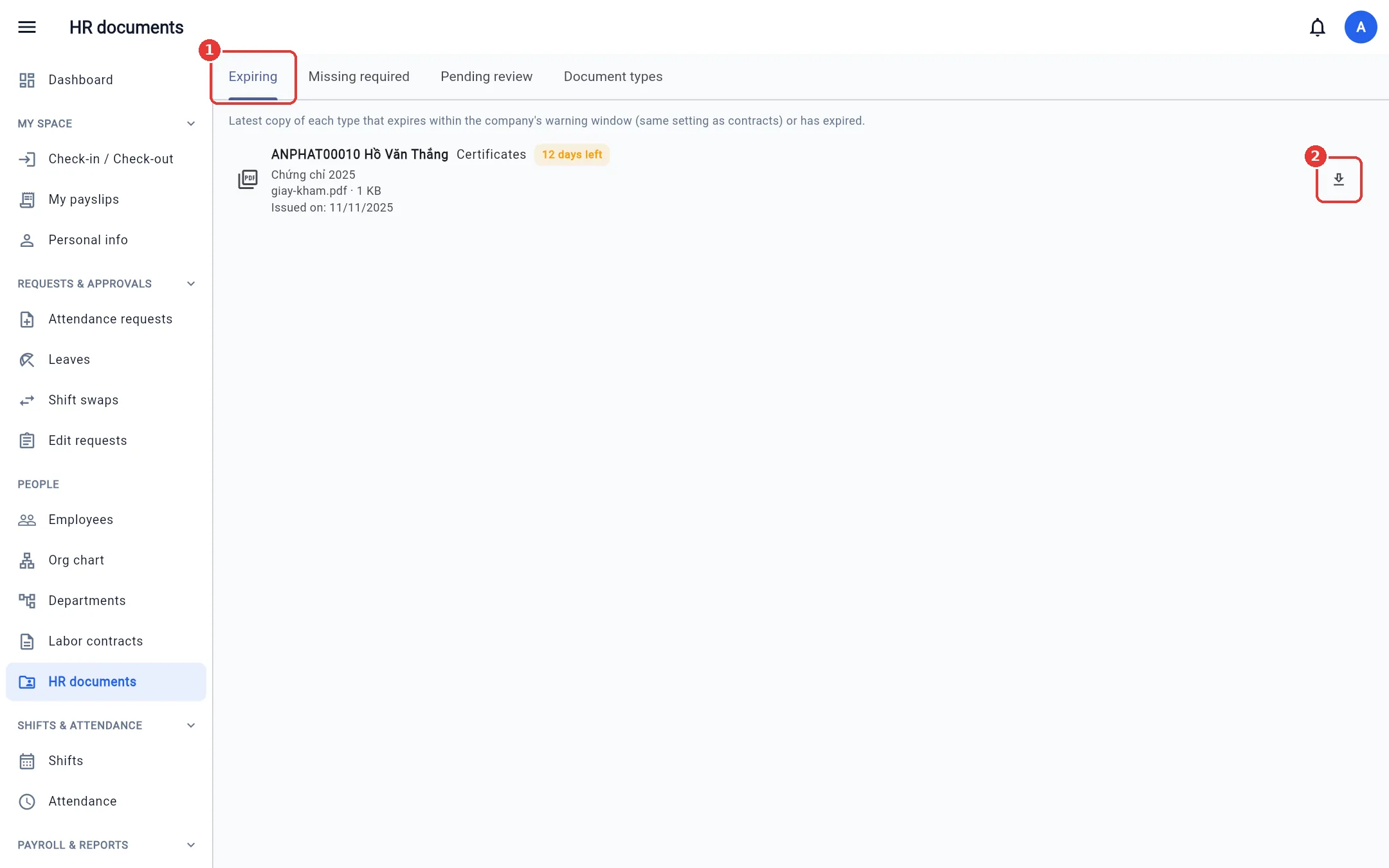
Expiring
The latest copy of each type of paper that has an expiry (CCCD, certificates, health checkup certificates, etc.) will expire within the advance-notice number of days. Click Download to view it.
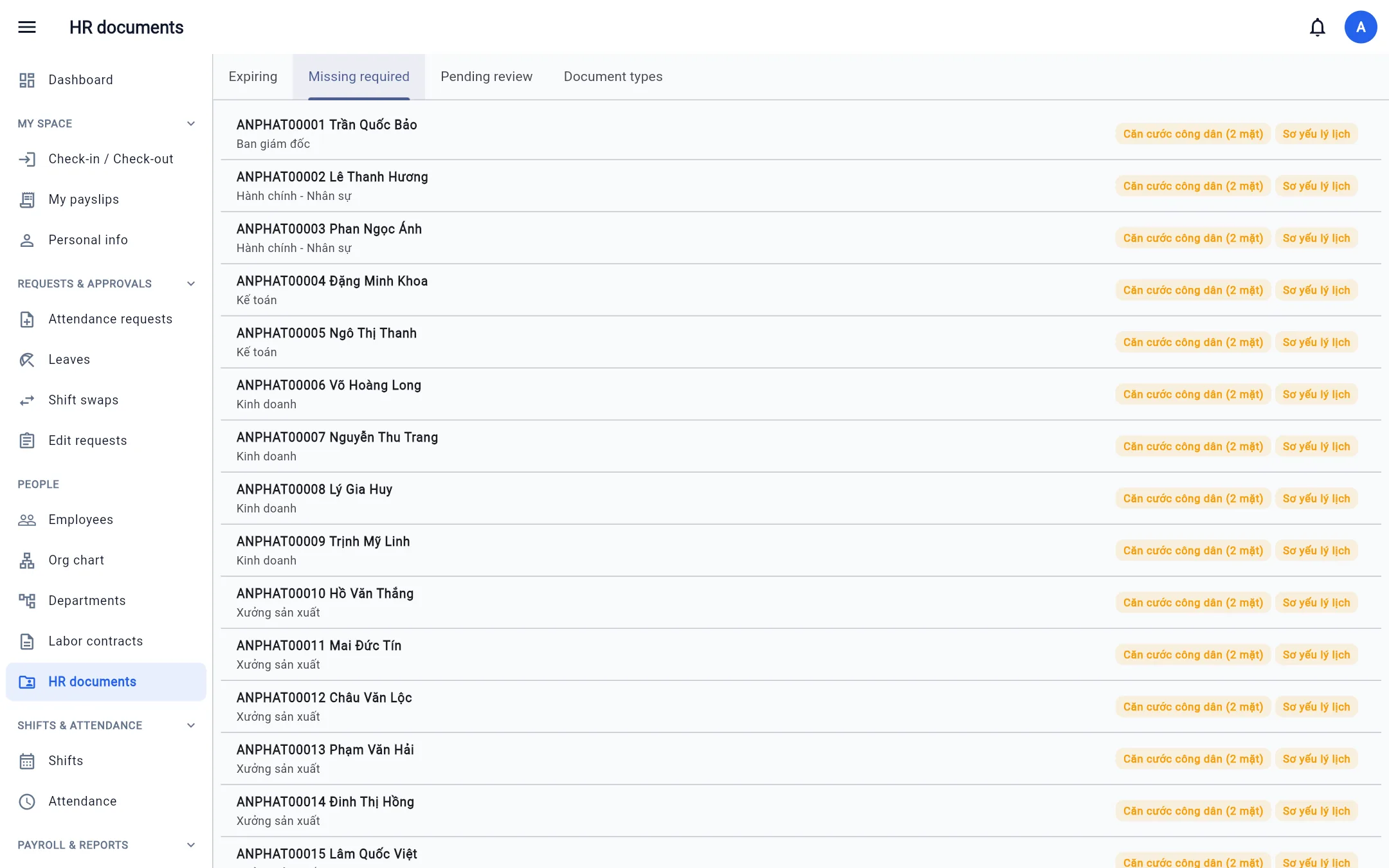
Missing required
Employees who have no approved, unexpired copy of a document type marked Required.
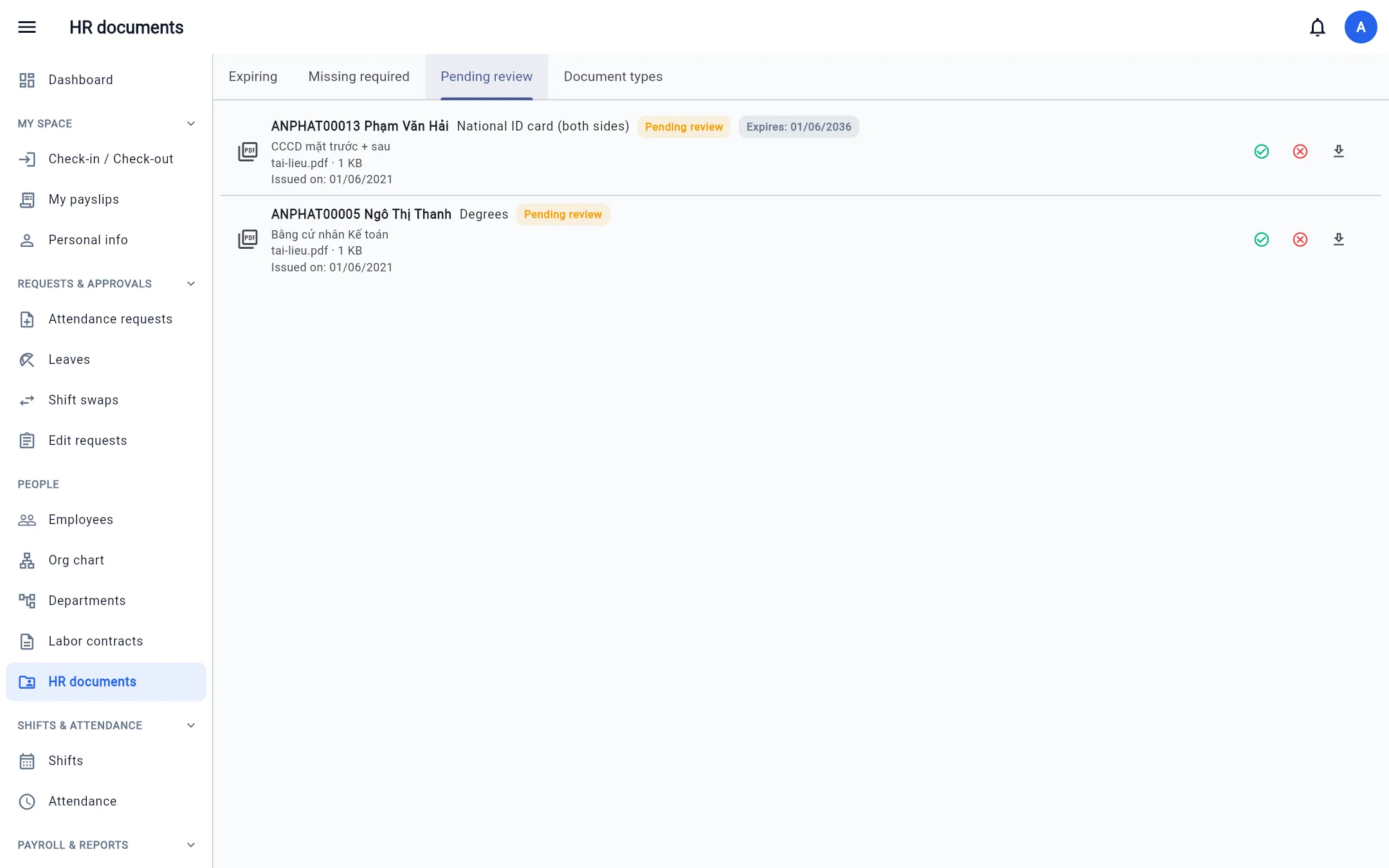
Pending
Documents employees submit themselves from Personal info. Click ✓ to approve, ✕ to reject (enter a reason), ⬇ to view the file. You cannot approve your own documents.
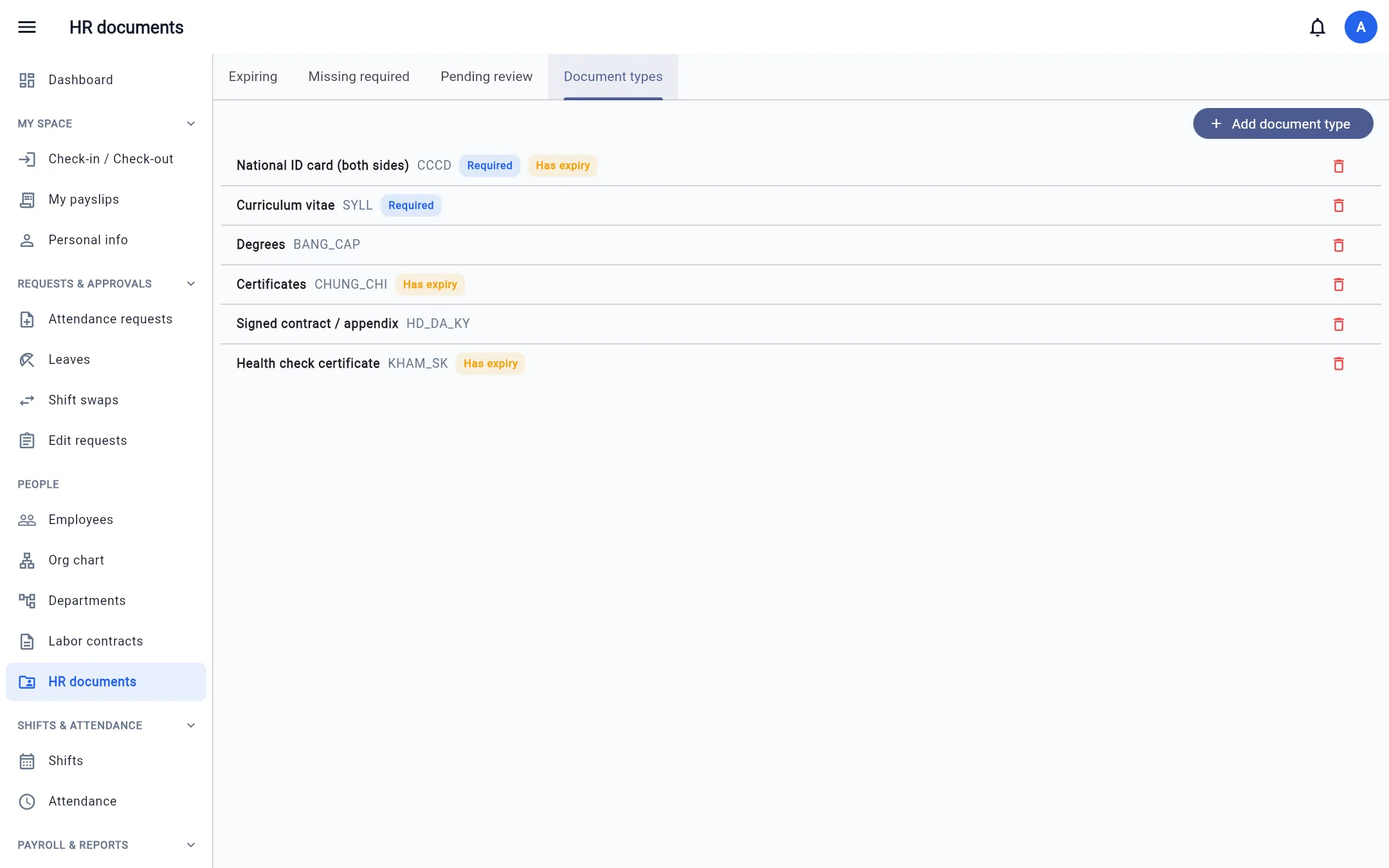
Document types
The company's catalog (by default: CCCD, résumé, degrees, certificates, signed contract, health checkup certificate). For each type choose Required (flags it as missing) and Has expiry (requires an expiry date).
To upload a document for an employee: go to Employees, click 📁 on that person's row, then Upload document (PDF, image or Word, up to 10 MB; it can be linked to that person's contract).