 BossKin
Departments and positions
Department tree, sub-departments, per-department attendance location, positions within a department.
For: HR, administrators
Department tree
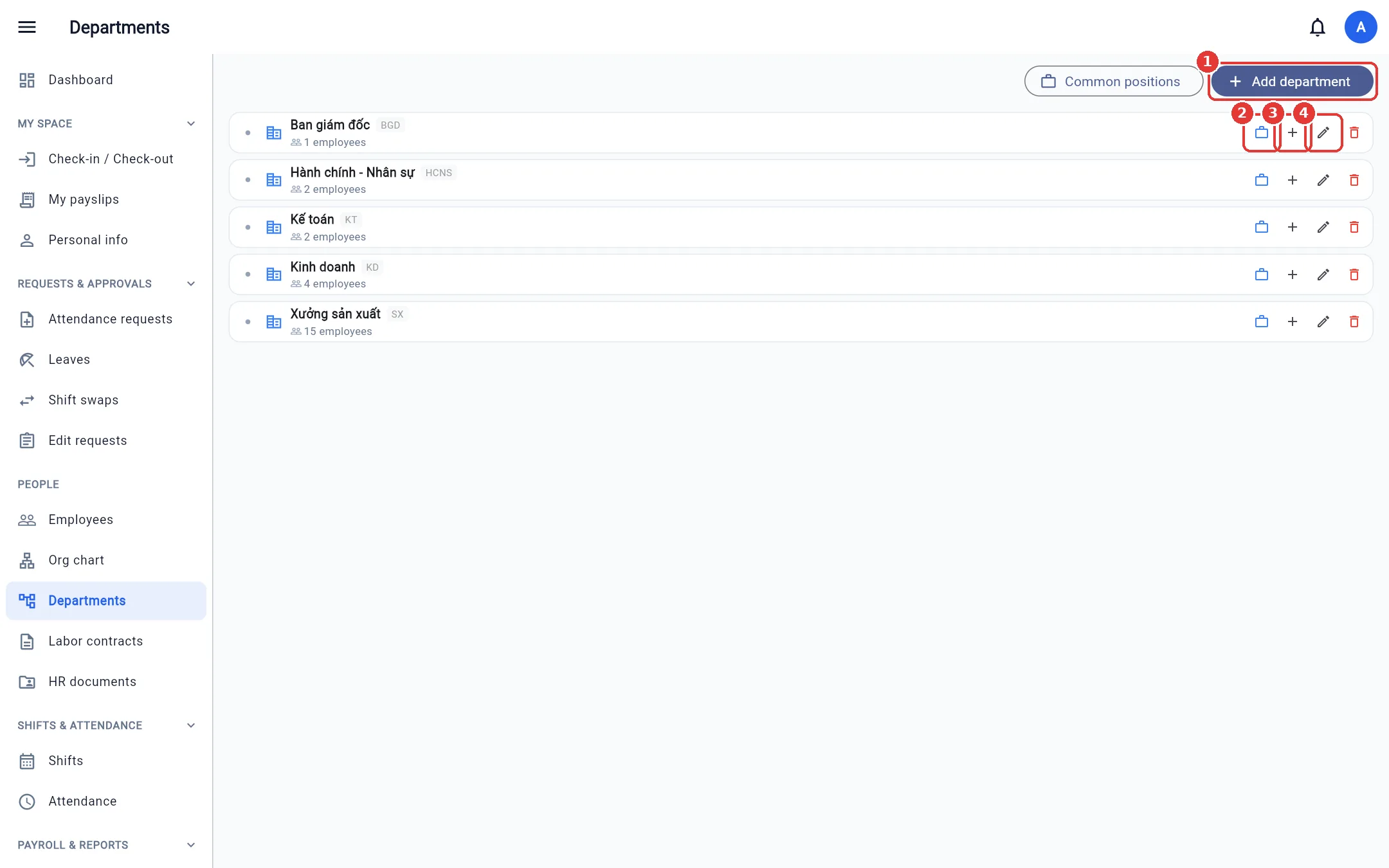
Open Departments. Each department shows its code and headcount; click the arrow to expand sub-departments. The buttons on each row: Manage positions, Add sub-department, Edit, Delete.
Add / edit a department
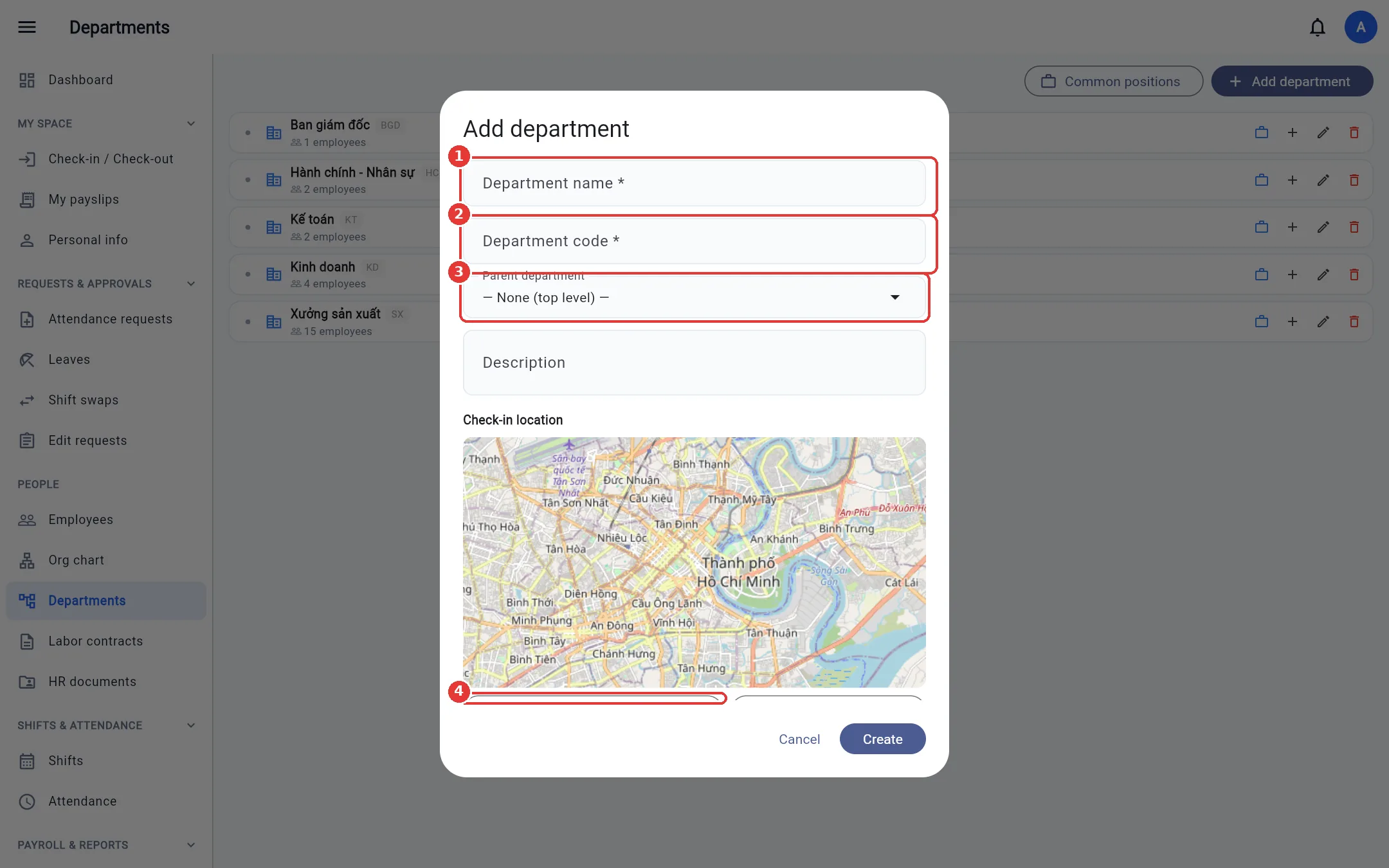
- Click Add department (or Add sub-department on a parent).
- Enter the Department name and Department code, and choose the Parent department (blank = top level).
- Check-in location (optional): click Use current location, or click Paste Google Maps link and paste a place link (long links and
maps.app.goo.glshort links both work; you can also paste coordinates such as10.77, 106.70) so the system fills in latitude / longitude automatically, or enter latitude / longitude by hand; then set the radius (meters). Employees of this department must be inside this area to clock in; if left blank, the company-wide location is used. - You can also set late / early-leave tolerance and time rounding for the department → Create / Save.
Note: You cannot choose a sub-department or descendant of a department as its parent. A department that still has sub-departments, positions or employees cannot be deleted.
Positions
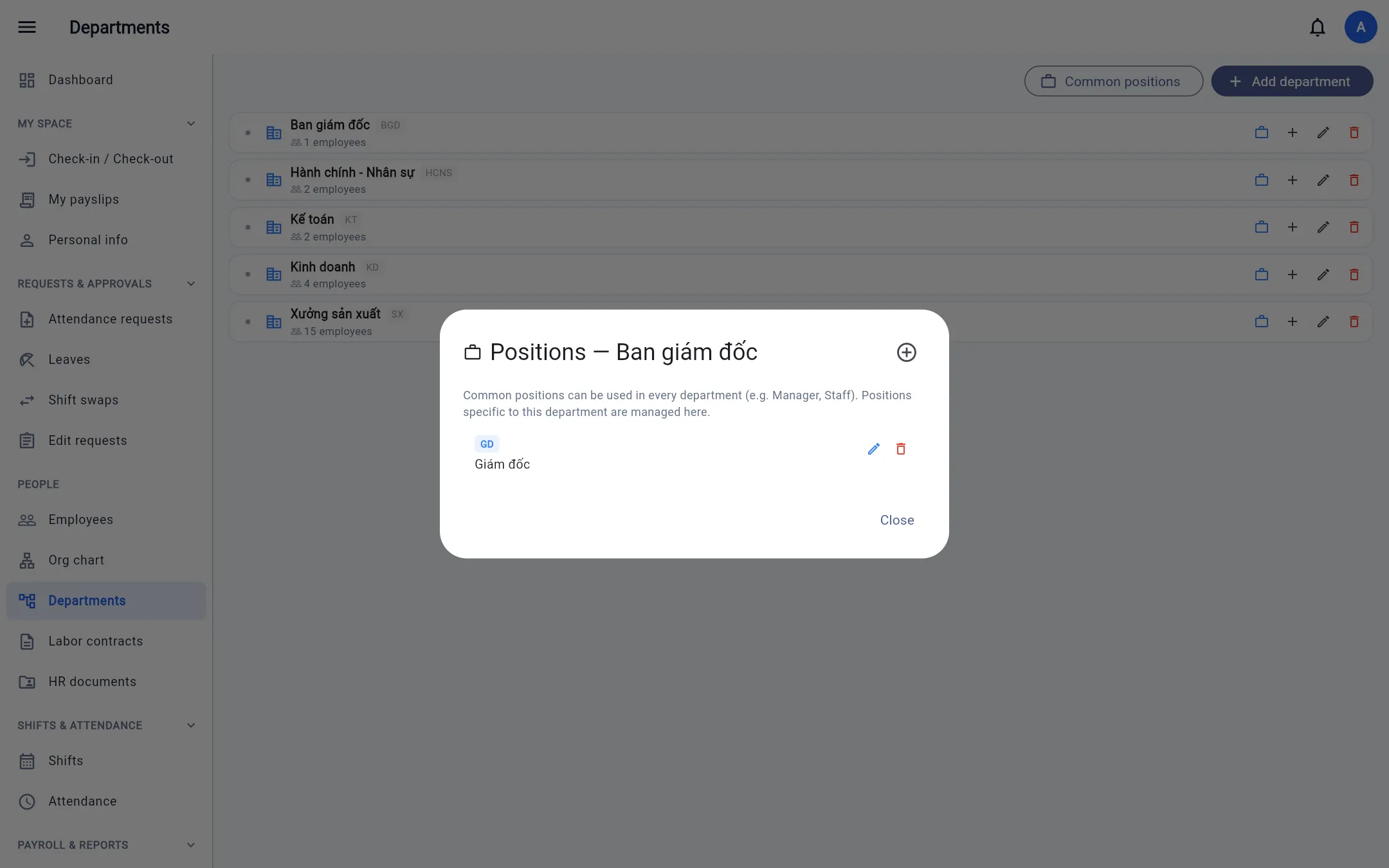
Click Manage positions on a department: add, edit, delete positions (a position code is unique within the company). Positions are used when adding employees. A position that still has employees or appears in career history cannot be deleted (including via Excel import).
Common positions
Stores, branches and similar units often have the same positions everywhere (Manager, Staff). Instead of recreating them for each department, click Common positions at the top of the Departments screen to create them once: a common position belongs to no department and can be chosen in any department when adding an employee or recording career history. Only people whose view scope covers the whole company can create / edit / delete common positions. In Excel import, leaving the department code column blank = a common position.