 BossKin
Request leave
See your remaining leave days, create leave requests by day or by hour, track and cancel requests.
For: All employees
See your remaining leave
Open Leave → Current leave balance tab. The balance is the total of your leave funds that are still valid.
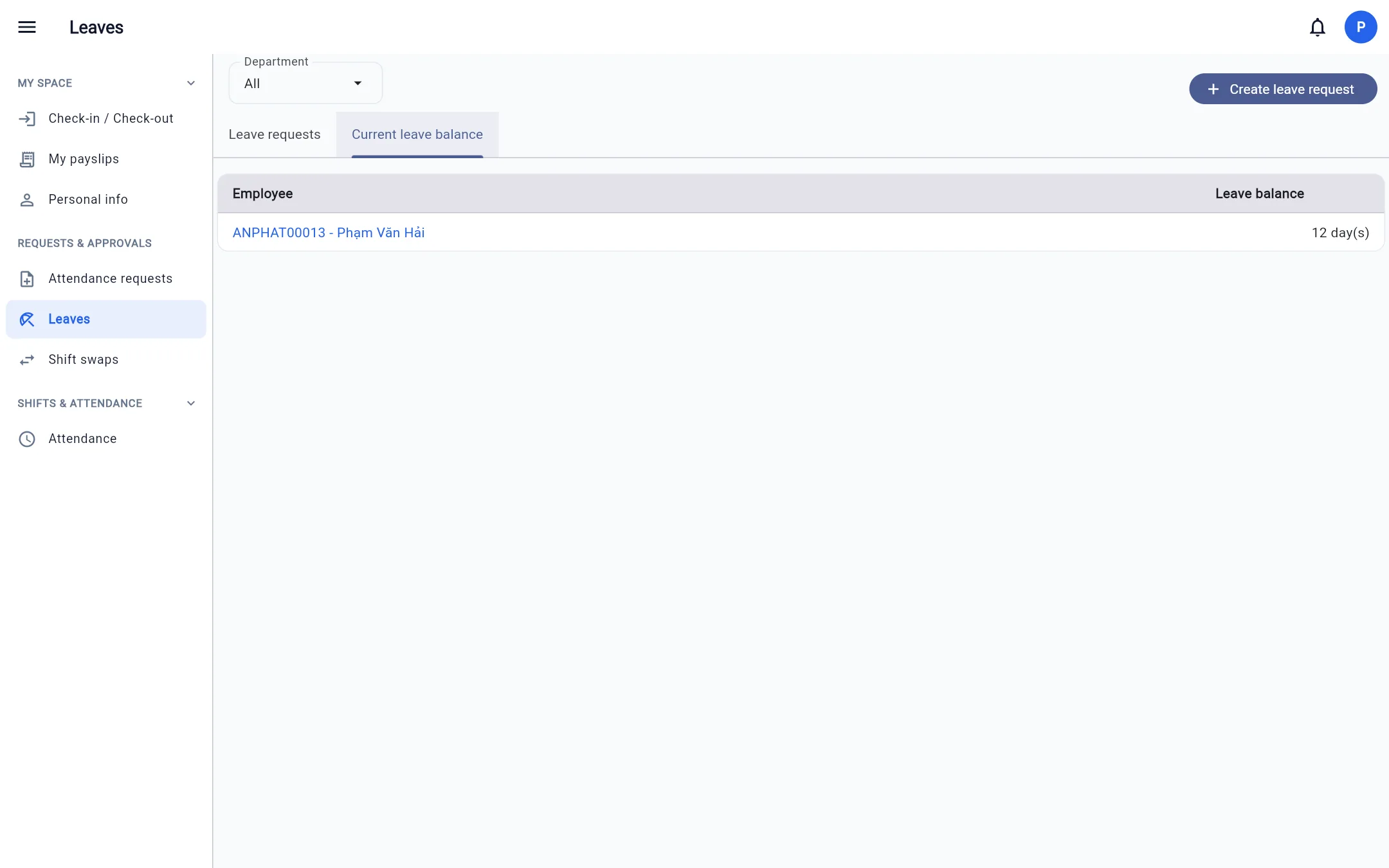
Create a leave request
- Click Create leave request.
- Choose the Leave type (annual leave, sick leave…).
- Choose the Request mode: by day (one or several days) or by hour.
- Choose From date / To date (or the time range) and enter a Reason.
- Click Create.
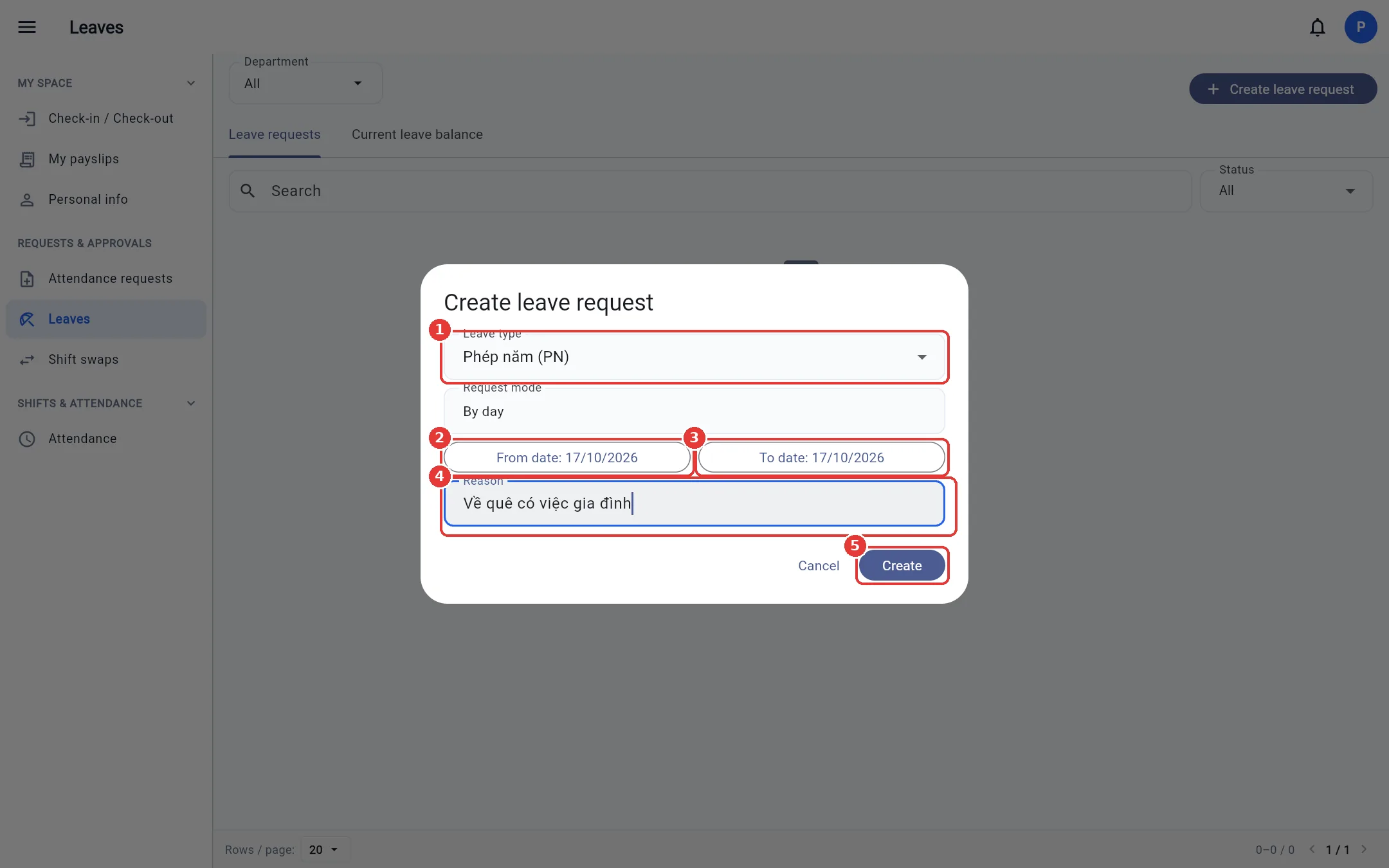
BossKin counts the days automatically: it only counts days you have a shift, skipping holidays and days off per the calendar; hourly leave excludes mid-shift breaks.
Note: For leave types that deduct from a fund, you need enough balance to create the request. Requesting leave on a holiday / a day without a shift will be rejected.
Track and cancel requests
The Leave requests tab lists your requests with the status Pending, Approved, Rejected, Cancelled. If the company uses 2-step approval, a request also shows an Awaiting manager label until your direct manager approves.
A pending request has a Cancel request button. If an approved request is cancelled, the leave is returned to the same fund it was deducted from.