 BossKin
Help › Manager
Approving for your team (direct manager)
Step-1 approval of leave requests, attendance requests and shift swaps for the employees you manage.
For: Anyone with direct reports
On this pageWhen this appearsApprove / reject
When this appears
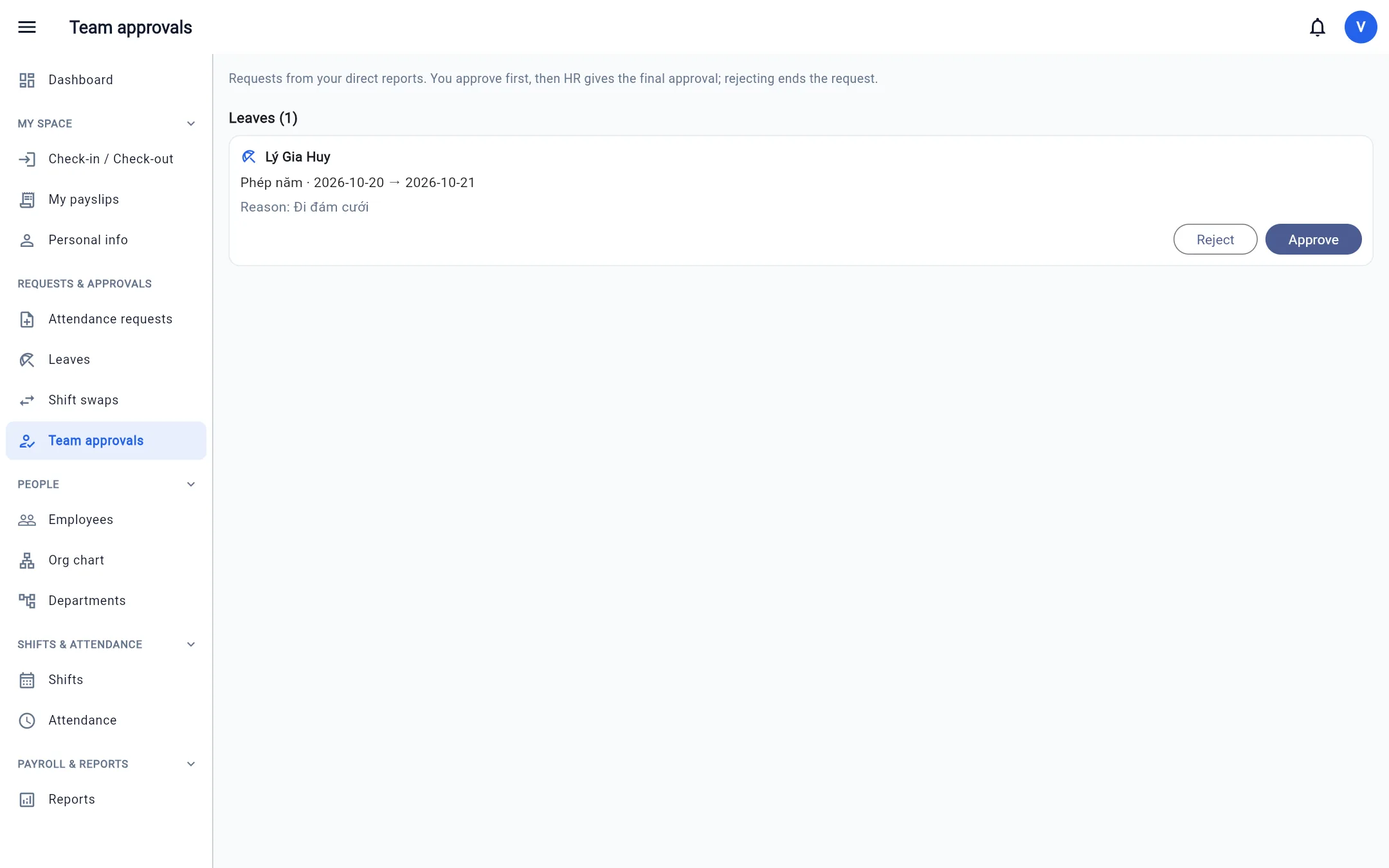
If the company chose "Direct manager first, then HR" (Company settings → Request approval) and you are the direct manager of at least one person, the menu gains Team approvals with the number of requests waiting for you. You also get a notification when a report submits a request.
Approve / reject
- Open Team approvals. Requests are grouped by type: Leave, Attendance requests, Shift swaps.
- Review the date, the number of days / hours and the reason.
- Click Approve (the request moves to HR for the final step) or Reject (enter a reason; the request ends and the leave is refunded).
Note: HR cannot give the final approval until the manager has approved. If you are both the direct manager and have final-approval permission, a single click on Approve records both steps.
Who is whose direct manager is set by HR on the employee record (the Direct manager field) — see Employees.