 BossKin
Help › Employee
My payslips
View each month's payslip: workdays, hours, gross salary, insurance, tax and net salary.
For: All employees
View a payslip
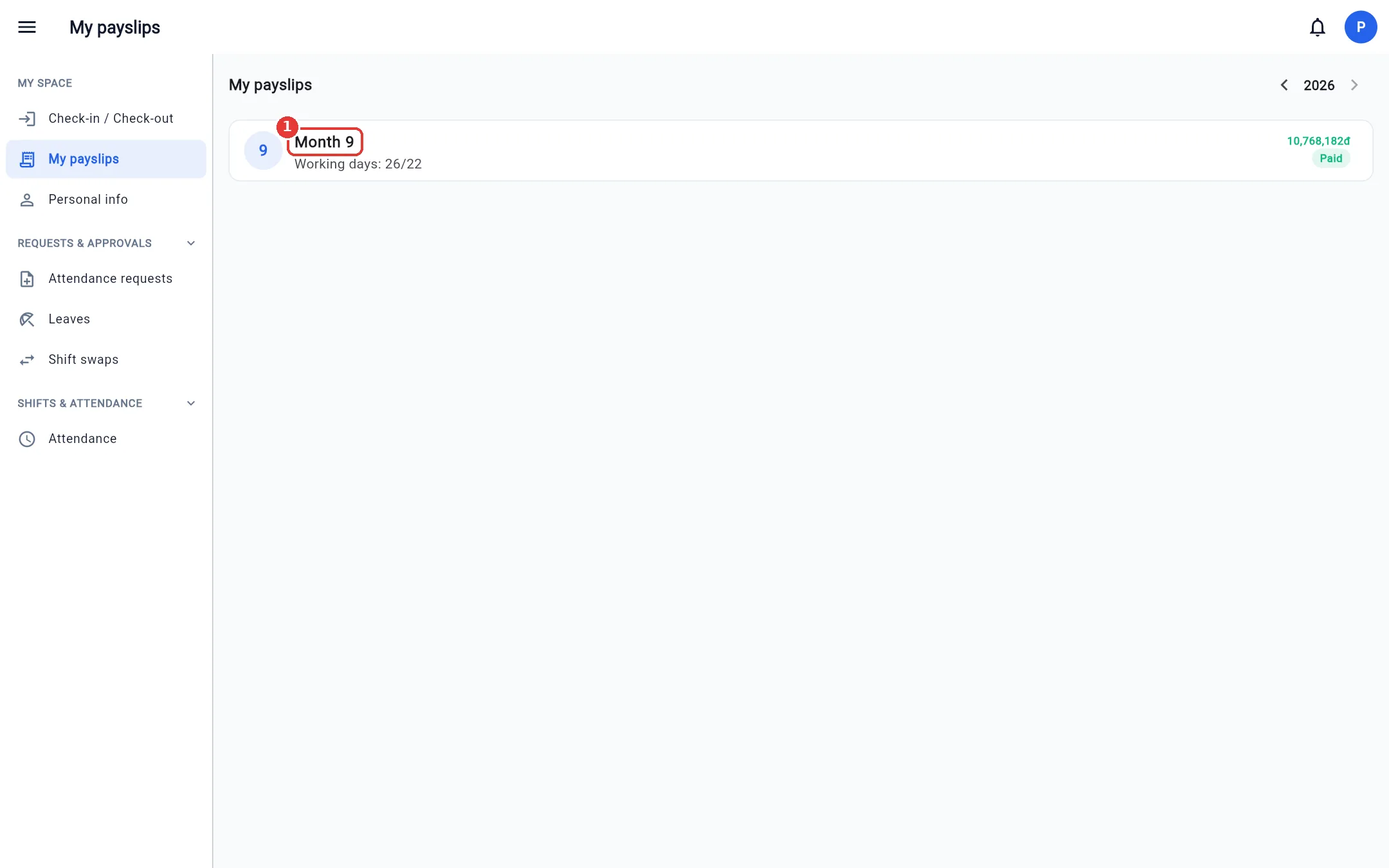
- Open My payslips (My space group). Change the year with the arrows at the top right.
- Each row is a month: workdays and net salary. Click a month to see the details.
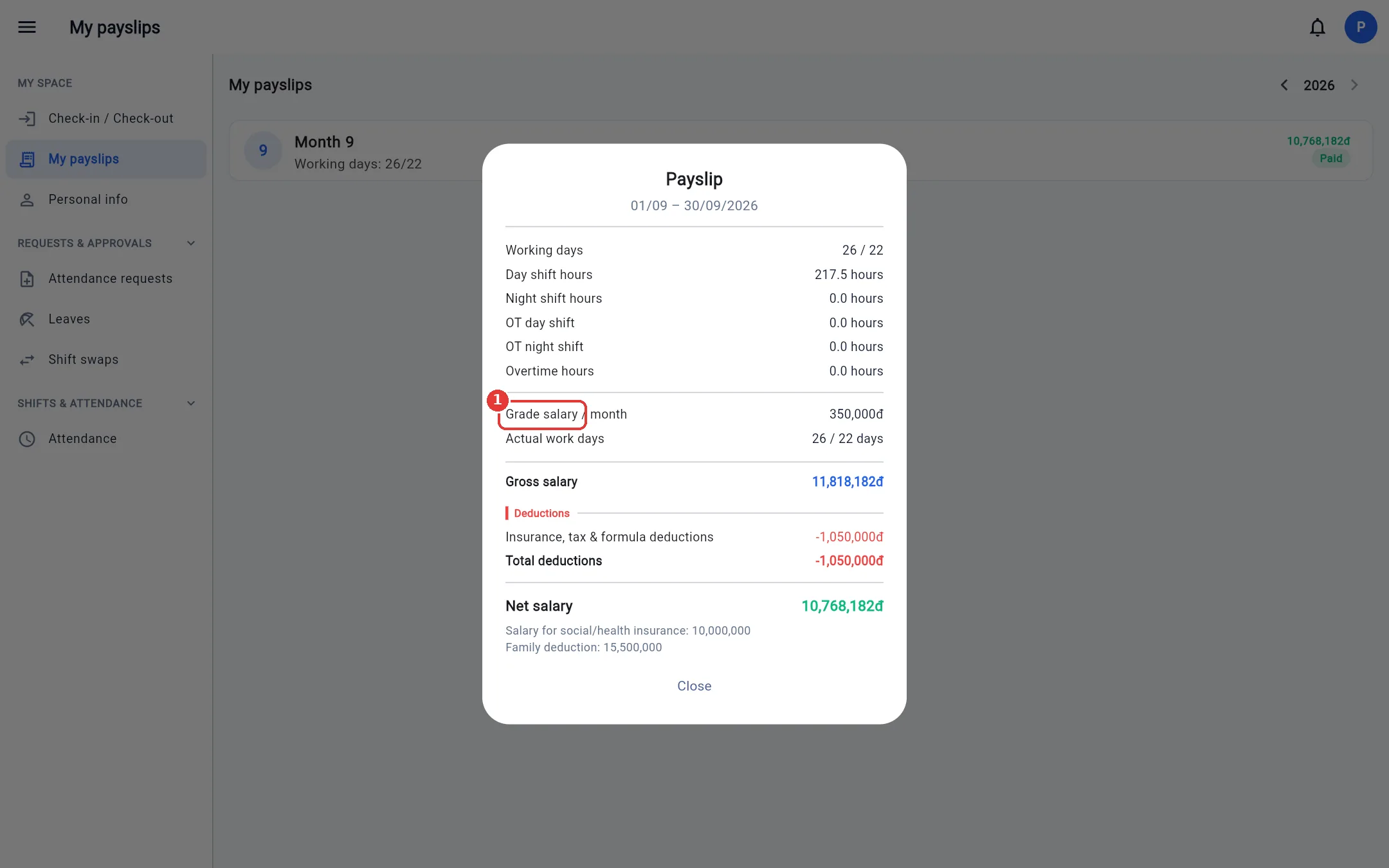
The detailed payslip includes:
- Workdays / hours: actual days worked over standard days, day / night shift hours, overtime hours.
- Gross salary: pay by attendance + allowances + bonuses.
- Deductions: insurance (social insurance (BHXH) 8%, health insurance (BHYT) 1.5%, unemployment insurance (BHTN) 1% on the insured salary, with a cap), personal income tax (PIT), and other deductions.
- Net salary = gross salary − total deductions.
- Last line: insured salary for BHXH/BHYT and family deduction (self + dependents) used to calculate tax.
You only see payslips that accounting has approved. If you see wrong figures, tell accounting before payday.