 BossKin
BossKin › Payroll, insurance and personal income tax in BossKin
Payroll, insurance and personal income tax in BossKin: how it works
Monthly payroll has three error-prone parts: totalling attendance correctly, calculating social insurance and personal income tax (PIT) with the right parameters, and issuing a payslip to everyone. This article explains how BossKin does these, what the company can configure, and what an accountant should still check.
Pay grades: pay by day, hour or month
Every employee belongs to a pay grade, and each grade is a way of paying: per day, per hour or per month, with a rate. For a monthly grade the daily rate equals the monthly salary divided by the standard working days; unpaid leave or joining mid-month is deducted against the standard days in the formula. If the company pays different rates at different times of the day, turn on “Time bands” and enter a rate for each band (for example, a higher rate at night).
Formulas the company sets itself
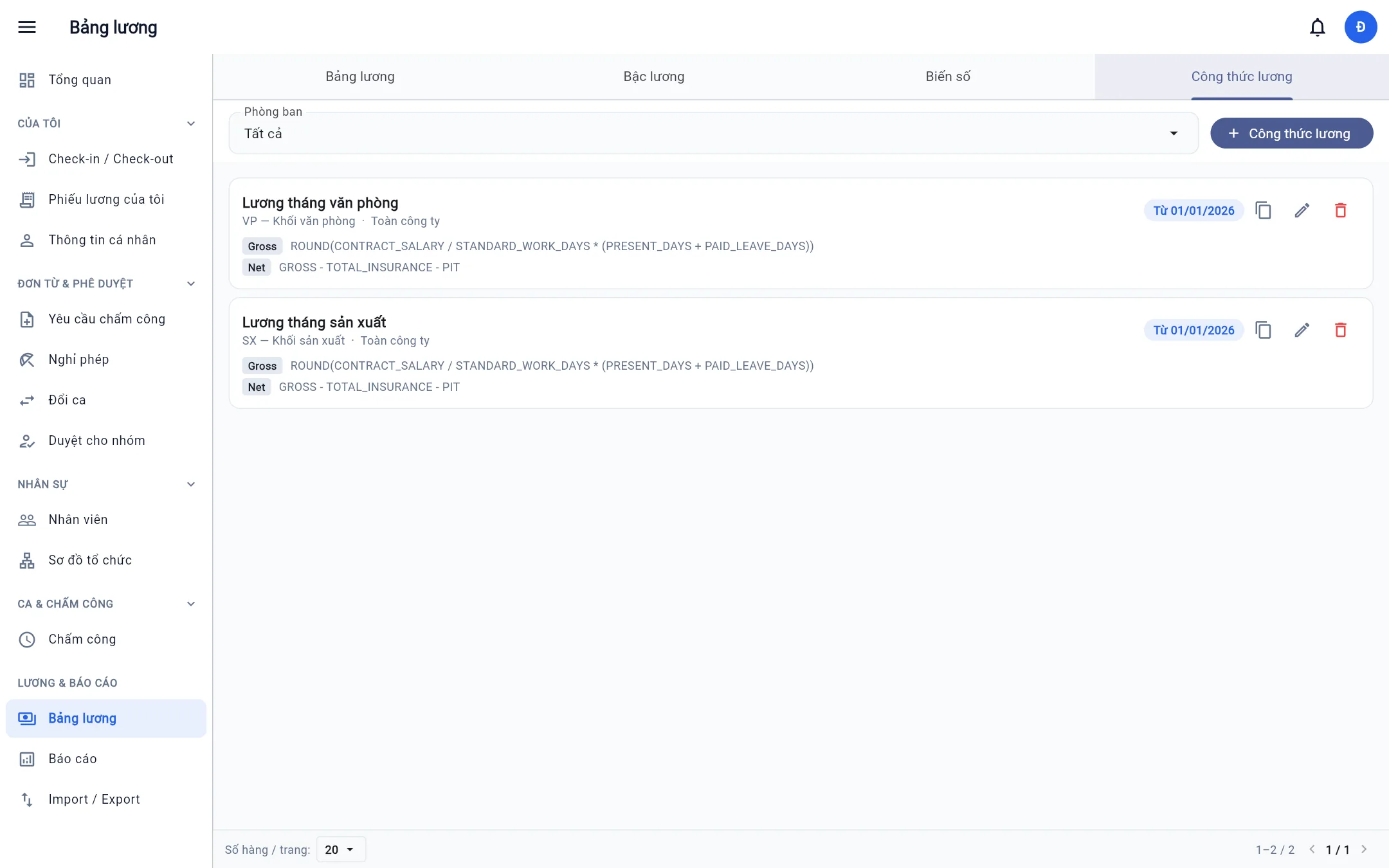
Each pay grade has two formulas, GROSS (total pay) and NET (take-home), effective from a date. They are written with variables, arithmetic, IF, ROUND and the tax function PIT_VN. For example:
GROSS:  CONTRACT_SALARY * PRESENT_DAYS / STANDARD_WORK_DAYS + CONTRACT_ALLOWANCE + BONUS
NET:    GROSS - TOTAL_INSURANCE - PIT
BossKin provides system variables computed from real data: standard and actual working days, paid and unpaid leave days, number of late days, day and night shift hours, overtime hours, salary and allowances from the contract and appendices in force in the period, the insurance salary, each insurance contribution and the tax, and family deductions. The company adds its own variables (attendance bonus, overtime multiplier…) and uses them in formulas. Overtime multipliers are not built in; the company sets them, so they always match internal policy.
When a formula fails for someone, the system names the person and the variable at fault instead of silently producing a wrong payslip.
Social, health and unemployment insurance
The employee's share is calculated at these rates: social insurance 8%, health insurance 1.5%, unemployment insurance 1%, on the insurance salary (with a floor and ceiling from the parameters in force). The insurance salary follows the contract: a specific amount if the contract states one, otherwise salary plus the allowances that are subject to insurance. The employer's share is also calculated so the payslip export has “Employer insurance” and “Total cost” columns; those rates are set in Company settings and are not deducted from the employee's pay.
Progressive personal income tax
PIT is calculated on the progressive scale after deducting insurance and the family deductions: the personal deduction and the dependent deduction. Dependents are recorded on the employee's profile (relationship, tax code, months in which the deduction applies), and BossKin counts the dependents who are deductible for the payslip's month.
An important point: deduction amounts, tax brackets and insurance ceilings are not hard-coded in formulas. They live in a table of parameters by effective date, maintained by the system administrator according to the regulations, and each pay period uses the parameters in force on its last day. When regulations change you do not have to edit the formula of every pay grade.
The monthly workflow
- Approve attendance and lock the period. Payslips only count approved attendance.
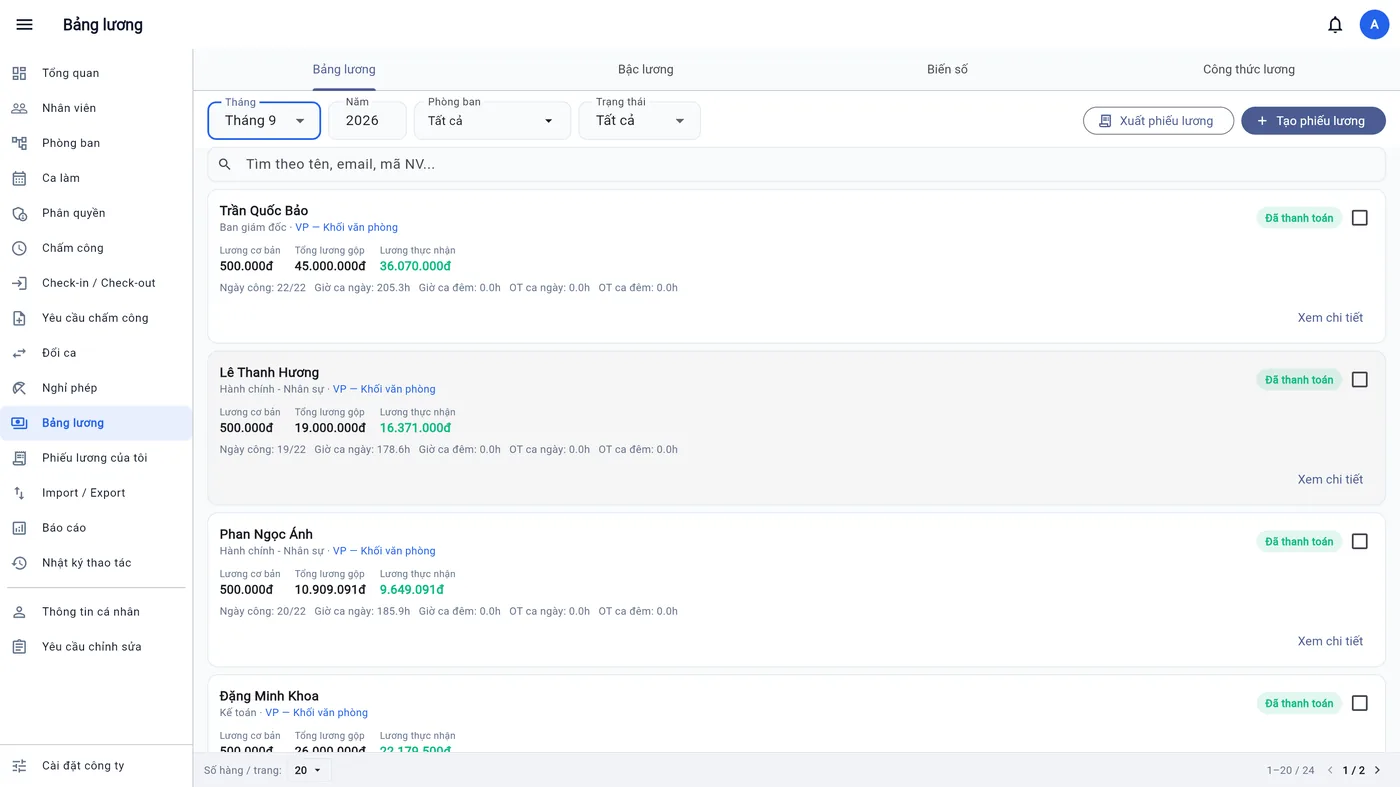
- Create payslips by month or by any date range (up to 93 days, not overlapping another payslip of the same employee); choose employees and create them.
- Check and adjust the draft: enter bonuses, allowances or other deductions, then recalculate.
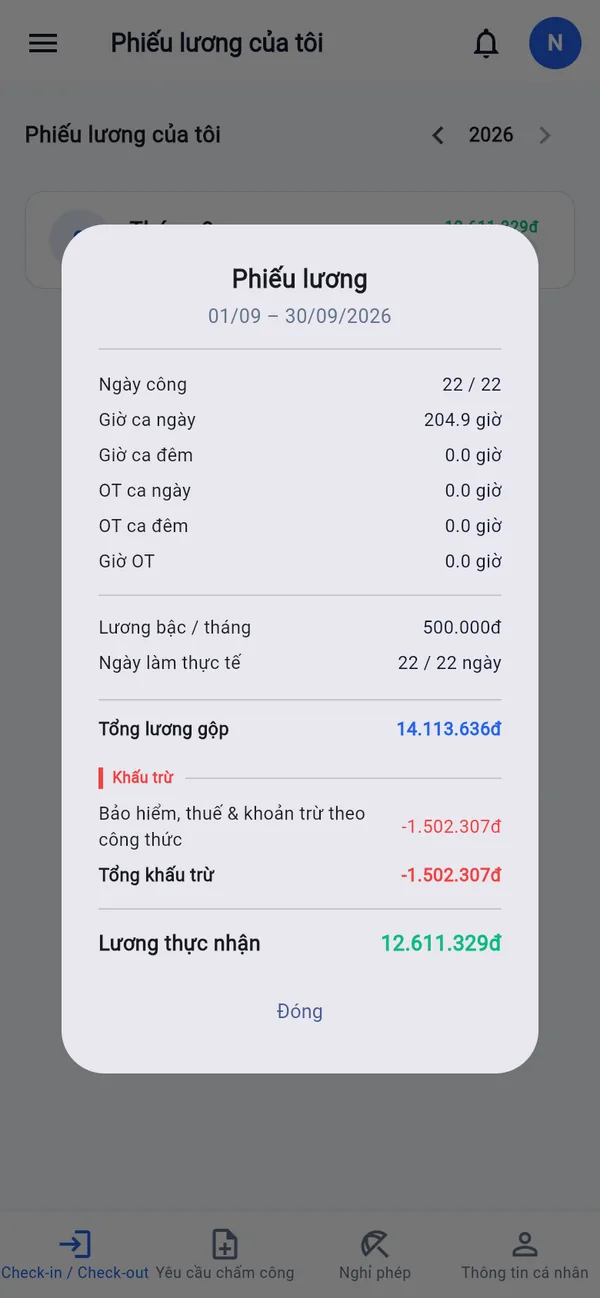
- Approve, then mark as paid, in bulk if you like. Nobody can approve, edit or pay their own payslip.
- Distribute payslips: employees see their own payslip on their phone once it is approved; accountants export to Excel for filing or reconciliation.
Standard days and public holidays
When “Standard days from the work calendar” is on, the period's standard days follow the company calendar: full days, half days, days off, paid public holidays and swapped workdays. Each department can use its own calendar (for example, a workshop working Saturday mornings). When it is off, the standard days are a fixed number the company sets. Sample public holidays are prepared by the system administrator, and the company can adjust them to the annual announcement.
Things to keep in mind
- This is a support tool, not accounting or tax advice. The company still has to check results before paying or filing.
- Run in parallel for 1–2 periods when moving from another system and compare person by person; see moving data from Excel.
- Correct attendance is a precondition for correct pay: see night, split and flexible shifts and GPS time and attendance.
- Sensitive numbers such as tax code, insurance book number and bank account are masked for people without permission to see sensitive data, including in exported Excel files.
Frequently asked questions
Can it calculate hourly pay and overtime?
Yes. Hourly pay grades use an hourly rate; day and night overtime hours each have their own variable, and the overtime multiplier is set by the company in the formula.
If the family deduction changes, do I have to edit formulas?
No. The deduction lives in the parameters by effective date; a period uses the parameters in force on its last day.
From when can employees see their payslip?
From the moment it is approved. Draft payslips are visible only to people with payroll permission.
Try payroll with your own company's data
Start a free trial and BossKin helps you set up pay grades and formulas, and compare one pay period with your old system before switching fully.
Start free trial